

About
Notepad++
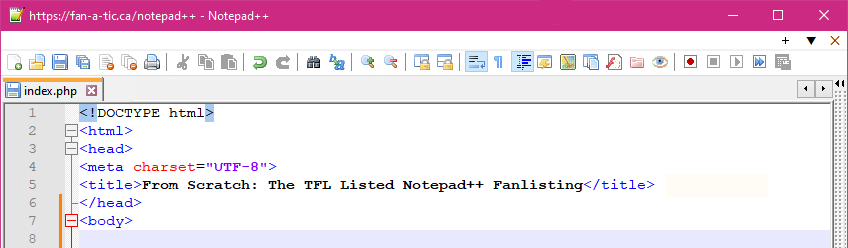
Notepad++ is a text and source code editor for use with Microsoft Windows. It supports tabbed editing, which allows working with multiple open files in one window. The program's name comes from the C postfix increment operator. Notepad++ is released as free and open-source software under a GNU General Public License (GPL) 3.0 or later. The project was originally hosted on the SourceForge software repository (2003-010), from where it was downloaded over 28 million times, and twice won the SourceForge Community Choice Award for Best Developer Tool. The project moved to TuxFamily (2010-2015), and then to GitHub (2015-present).
Notepad++ features syntax highlighting, code folding and limited autocompletion for programming, scripting, and markup languages,
but not intelligent code completion or syntax checking. As such, it may properly highlight code written in a supported scheme,
but whether the syntax is internally sound or compilable, cannot be verified. As of version 7.6.3, Notepad++ can highlight the
elements of 78 syntaxes: ActionScript, Ada, ASN.1, ASP, Assembly, AutoIt, AviSynth scripts, BaanC, Batch files, Blitz Basic, C,
C#, C++, Caml, CMake, Cobol, CoffeeScript, Csound, CSS, D, Diff, Erlang, escript, Forth, Fortran, FreeBASIC, Gui4Cli, Haskell, HTML,
INI files, Intel HEX, Inno Setup scripts, Java, JavaScript, JSON, JSP, KiXtart, LaTeX, Lisp, Lua, Makefile, MATLAB, MMIX, Nim, nnCron,
NSIS scripts, Objective-C, OScript, Pascal, Perl, PHP, PostScript, PowerShell (Broken), PureBasic, Python, R, Rebol, Registry script (.reg),
Resource file, Ruby, Rust, Scheme, Shell script, Smalltalk, SPICE, SQL, Swift, S-Record, Tcl, Tektronix HEX, TeX, txt2tags, TypeScript,
Visual Basic, Visual Prolog, VHDL, Verilog, XML, YAML.
Notepad++ recognizes three newline representations (CR, CR+LF, and LF) and can convert between them on the fly. In addition, it supports
reinterpreting plain text files in various character encodings and can convert them to ASCII, UTF-8 or UCS-2. As such, it can fix plain
text that seem gibberish only because their character encoding is not properly detected.
Notepad++ also has features that improve plain text editing experience in general, such as:
- Autosave
- Finding and replacing strings of text with regular expressions
- Searching text strings within opened tabs
- Searching text strings in a directory
- Guided indentation
- Line bookmarking
- Macros
- Simultaneous editing
- Split screen editing and synchronized scrolling
- Line operations, including sorting, case conversion (Uppercase, lowercase, camel case, sentence case), and removal of redundant whitespace
- Tabbed document interface
Notepad++ has support for macros and plugins, and has been remarked for its robust plugin architecture which enabled various new features to be integrated into the program. Currently, over 140 compatible plugins are developed for Notepad++, 10 of which are included by default in the program. The first plugin to be included in the program was "TextFX", which includes W3C validation for HTML and CSS, text sorting, character case alteration and quote handling.
Notepad++ supports internationalization through XML files in an application-specific format containing all internationalized strings (dialog captions, menu titles and items, etc.) in a certain language; this file can be reloaded from the application settings. Translations to new languages can thus be written by simply editing an existing file.
source
Fanlisting
So what's a fanlisting? The definition according to TheFanlistings is this: A fanlisting is a web clique that lists fans of a particular subject. Unlike most web cliques, a person does not need a web site in order to join. Fans from around the world submit their information to their approved fanlisting and they are then listed to show their love for the subject.
